GIT
工作流
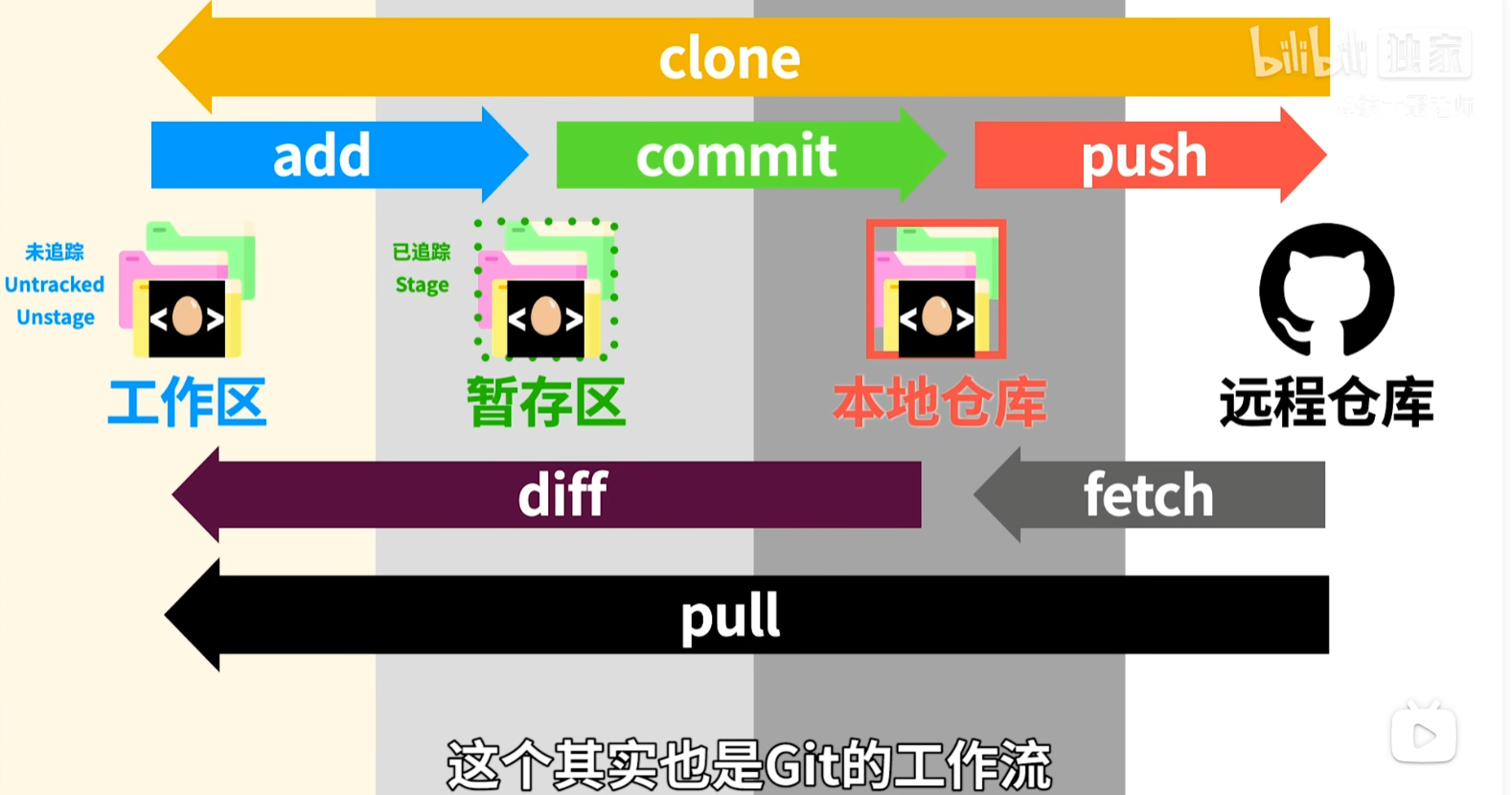
基本操作
初始化:
git init缓存区:
git add .提交:
shell
git commit -m "描述,解决了#1"
这里的#1与issue和pr中的序号相对应
记录与状态:
shell
git log
git status
分支:
git branch

删除与强制删除
git branch -d/-D 分支名
git branch 分支名/提交hash
git switch 分支名/提交hash
新建分支git switch 和 git checkout 在功能上有重叠,但它们的设计目标不同。
- 新项目 / 日常开发:推荐用
git switch+git restore,语义更清晰。 - 维护旧脚本:
git checkout依旧支持,无需立即替换。
| 功能 | 新命令 | 原命令 |
|---|---|---|
| 切换分支 | git switch | git checkout |
| 恢复文件 | git restore | git checkout |
| 场景 | git checkout | git switch |
|---|---|---|
| 切换到已有分支 | git checkout main | ✅ git switch main |
| 创建并切换到新分支 | git checkout -b dev | ✅ git switch -c dev |
| 切换到某个提交(detached HEAD) | git checkout <commit> | ⚠️ git switch --detach <commit> |
| 恢复文件(例如撤销修改) | git checkout -- file.txt | 🚫(不支持)→ 用 git restore file.txt |
| 功能范围 | 同时操作分支 + 文件 | 只负责切换分支 |
推送:
shell
git push -u origin main
git push
设置默认值-u,这样以后提交就可以不写远程仓库和本地分支
远程仓库:
shell
git init
git add README.md
git commit -m "first commit"
git branch -M main
将默认的本地仓库名master改为main,以保证和远程仓库一致

git remote add origin https://github.com/DanoAndHolidays/PLAYLET-APP.git
这里使用origin作为远程仓库名,默认情况下均使用origin作为远程仓库名

git push -u origin main
拉取:
shell
git pull 远程仓库名 拉取到的本地分支名

如果拉取的过程中出现了本地和远程仓库有不同的commit的情况
可以使用,将本地的提交作为新的,远程仓库上的作为“老”的提交
git pull --rebase 远程仓库名 拉取到的本地分支名
Pull requests
当提交的内容和远程仓库的分支数量不一样的时候,就可能会触发pr
tag
标签和“快照”类似,记录着打标签的所有commit
shell
git tag -a v1.0.0 -m "第一个版本"Releases
发布一个tag